The 10th SSLC result 2026 Tamil Nadu for the March/April public examinations was declared on 20 May 2026 by the Tamil Nadu Directorate of Government Examinations (DGE). Students can access their individual result online through the Government of Tamil Nadu’s official results portal using their registration number and date of birth.
This guide explains the official way to check and save the result, how to read the marks memo, what to do if the website does not open, and how to handle re-totaling, revaluation, supplementary examinations, and certificates responsibly.
Key Takeaways
- The Tamil Nadu SSLC March/April 2026 result was released on 20 May 2026.
- Use the official TN Board Results portal to view the result.
- Keep your registration number and date of birth in DD/MM/YYYY format ready.
- Download and save the online marks memo, but treat it as a provisional online record.
- The DGE states that online results cannot be treated as the original marksheet.
- For revised marks after re-totaling or revaluation, rely only on current DGE SSLC notifications.
Tamil Nadu SSLC Result 2026: Official Status
The Directorate of Government Examinations, Tamil Nadu, conducted the 2026 SSLC public examinations from 11 March 2026 to 6 April 2026. The result was published on 20 May 2026.
The official DGE result analysis reports that 8,70,643 students appeared for the examination and 8,21,105 passed, producing an overall pass percentage of 94.31%. The published pass percentage was 96.47% for girls and 92.15% for boys.
These figures apply to the March/April 2026 SSLC public examination results. They should not be confused with the separate July 2026 supplementary examination process.
| Result detail | Official 2026 information |
|---|---|
| Examination | Tamil Nadu SSLC March/April 2026 |
| Exam period | 11 March 2026 to 6 April 2026 |
| Result declaration date | 20 May 2026 |
| Students appeared | 8,70,643 |
| Students passed | 8,21,105 |
| Overall pass percentage | 94.31% |
The most reliable place to track later corrections, revised marks, supplementary results, or certificate-related notices is the DGE Tamil Nadu SSLC notification page.
Official Website to Check the 10th SSLC Result 2026 Tamil Nadu
Students should use only Government of Tamil Nadu and DGE websites. The main official result portal is:
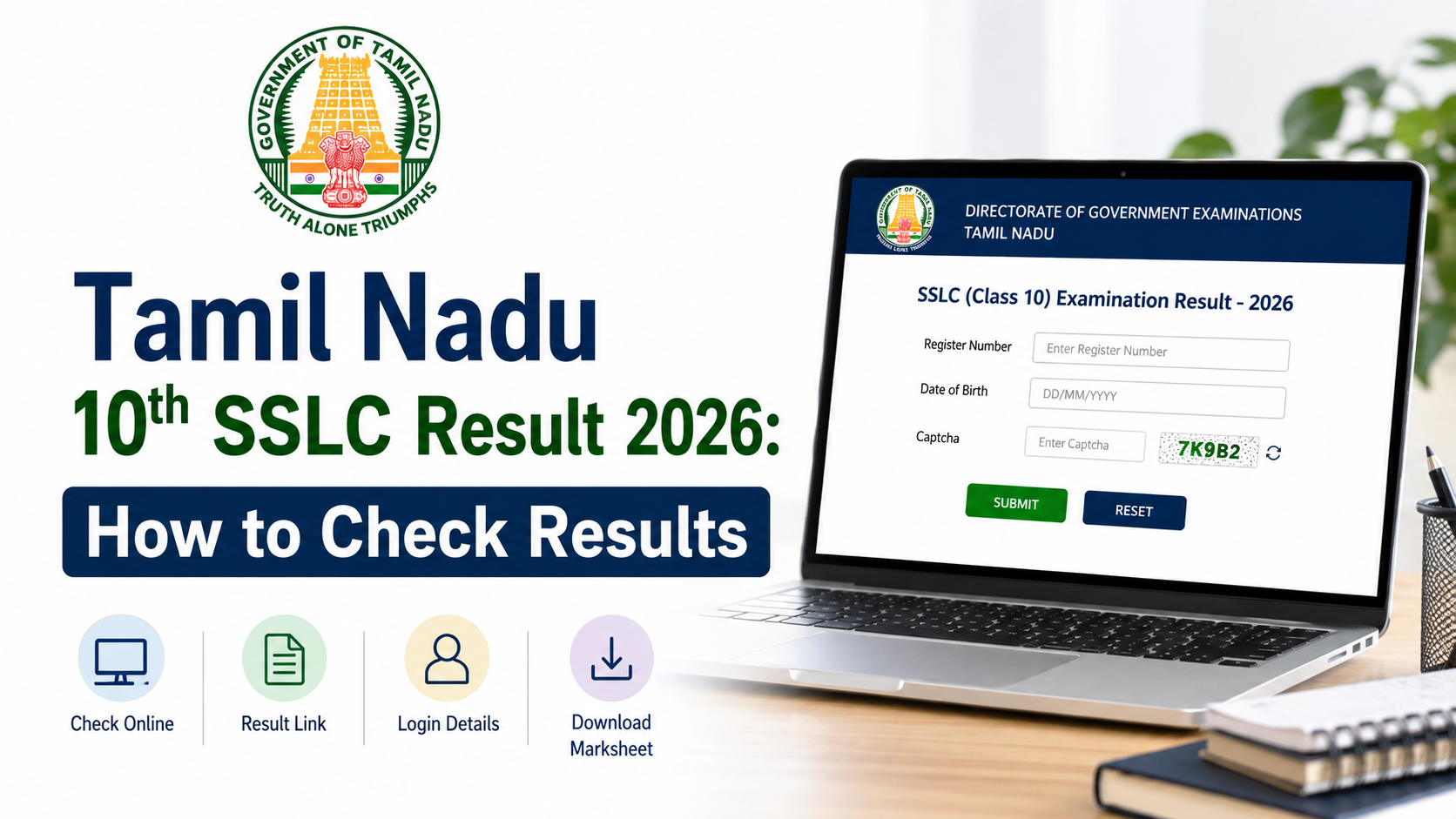
The 2026 SSLC result page asks for:
- Registration Number
- Date of Birth in DD/MM/YYYY format
Avoid entering these details on unofficial result websites, social-media links, or pages that demand payment, app downloads, or unnecessary personal information. The official result service does not require students to pay to view their individual result.
The DGE website is also useful for official announcements, including revaluation, re-totaling, scanned-answer-script applications, supplementary examinations, and provisional certificate notices.
How to Check Tamil Nadu 10th SSLC Result Online
Follow these steps to view your individual result safely.
Step 1: Open the official results portal
Visit tnresults.nic.in in a current browser. On the homepage, select the link for TN SSLC Class X Examination Results March 2026.
Do not use a search-engine advertisement or a similarly named third-party site. Check that the address ends with .nic.in, which is used by the National Informatics Centre for government services.
Step 2: Enter your registration number
Type the registration number exactly as shown on your SSLC hall ticket or examination records. Check each digit before submitting. A single incorrect digit can prevent the result from loading.
Step 3: Enter your date of birth
Enter the date of birth in the format shown on the portal:
DD/MM/YYYY
For example, a student born on 7 January 2010 should enter:
07/01/2010
Use the date recorded in your examination documents. Do not substitute a different date format such as MM/DD/YYYY.
Step 4: Select “Get Marks”
After entering both details, choose the button labelled Get Marks. Your result should display on screen.
Read the page carefully before closing it. Confirm that the name, registration number, and marks shown belong to you.
Step 5: Save the marks memo
Use the browser’s print or download option to save a PDF copy. Keep more than one copy:
- Save a PDF on your phone or computer.
- Email it to yourself or a parent/guardian.
- Print a copy if you need it for an immediate school or admission-related reference.
A saved copy is useful if the official website becomes busy later. However, it does not replace the formal marksheet or certificate issued through the official process.
What to Check on Your Result Page
Once the result opens, review every detail rather than looking only at the pass or fail status. The online record generally presents academic and identification information that students may need for Class 11 admissions.
Check these points:
| Item to review | Why it matters |
|---|---|
| Student name | It should match your examination record. |
| Registration number | Confirms the displayed result is yours. |
| Date of birth | Helps identify data-entry issues. |
| Subject-wise marks | Needed to understand performance in each subject. |
| Total marks | Useful for admission and counselling requirements. |
| Result or qualifying status | Indicates the published outcome for the examination. |
If any personal detail appears incorrect, do not alter a downloaded copy or rely on an edited screenshot. Inform your school promptly and follow the DGE’s official instructions for correction-related matters.
Online Result, Provisional Marksheet and Original Certificate
Students often use “result,” “marks memo,” “marksheet,” and “certificate” as if they mean the same thing. They do not always have the same official purpose.
The result shown at tnresults.nic.in is intended for immediate information. The TN Board Results portal specifically states that results published online cannot be treated as original marksheets.
Use the online result to:
- Check marks and qualifying status quickly.
- Share a provisional record when an institution expressly accepts it.
- Keep a reference copy while waiting for formal school communication.
- Review the details before applying for a permitted post-result service.
For final admissions, document verification, or other official use, follow your school’s instructions on the proper certificate or marksheet. If an institution asks for an original document, confirm its requirement directly instead of assuming a downloaded result page is sufficient.
If the Result Website Is Not Working
Heavy traffic can slow the official portal shortly after results are announced. A technical issue does not mean your result is unavailable.
Try these practical steps:
- Refresh once after a short interval rather than submitting repeatedly.
- Re-enter the registration number and date of birth carefully.
- Use another browser or switch between Wi-Fi and mobile data.
- Clear the browser cache if an old error page keeps appearing.
- Visit the official portal later, preferably outside peak hours.
- Contact your school if you remain unable to access the result.
Do not share your registration number, date of birth, hall-ticket image, or result screenshot publicly while asking for help online. These details can be misused.
If the portal shows a credential error, first compare your entries with the hall ticket. If the credentials are correct but the issue persists, contact the school rather than repeatedly attempting random combinations.
What to Do After Checking Your Result
Your next step depends on the result and your educational plans.
Plan Class 11 admission carefully
Students moving to Higher Secondary education should discuss course options with parents, teachers, and school counsellors. Consider:
- Your subject-wise performance and interests
- Entry requirements set by the school
- Long-term higher-education and career preferences
- Whether you are comfortable with the subjects in your chosen group
Do not select a stream solely because of a single mark, a friend’s choice, or an online ranking of streams.
If you applied for re-totaling or revaluation
The DGE’s SSLC notifications include separate 2026 notices on re-totaling, revaluation, scanned answer scripts, and subsequent mark changes. These are separate from the original 20 May result declaration.
If you submitted an application, consult the official SSLC notification page for the relevant published outcome. Use the revised official information where applicable, not an earlier screenshot or cached result page.
If you need to take a supplementary examination
The DGE conducted a separate SSLC supplementary examination in July 2026. Supplementary examinations have their own applications, hall tickets, timetable, results, and service instructions. They are not an automatic extension of the March/April result.
Students should follow only the latest DGE notification applicable to their candidate category—school candidate or private candidate—before taking any action.
Common Mistakes to Avoid
A few simple errors can create unnecessary confusion during the result process.
- Using an unofficial link: Start from tnresults.nic.in or the DGE website.
- Entering the wrong date format: Use DD/MM/YYYY when the result page asks for it.
- Ignoring subject-wise marks: Review the complete result, not only the overall status.
- Treating a screenshot as an original document: The online result is not the original marksheet.
- Following expired application dates: Revaluation and supplementary deadlines are time-specific; always read the newest DGE notification.
- Paying third parties for result access: Viewing the official online result does not require a payment.
Frequently Asked Questions
When was the Tamil Nadu 10th SSLC result 2026 declared?
The Tamil Nadu SSLC March/April 2026 result was declared on 20 May 2026 by the Directorate of Government Examinations, Tamil Nadu.
What details are needed to check the 10th SSLC result 2026 Tamil Nadu?
You need your registration number and date of birth. The official 2026 result page asks for the date of birth in DD/MM/YYYY format.
Which website is official for Tamil Nadu SSLC results?
The official result portal is tnresults.nic.in. For notifications and examination services, use the DGE Tamil Nadu website.
Is the downloaded online result page the original marksheet?
No. The TN Board Results portal states that results published online are for immediate information and cannot be treated as original marksheets. Follow your school’s instructions for the formal document.
Where can I find revised marks after revaluation or re-totaling?
Check the DGE SSLC notification page. Revised-result and mark-change announcements are separate from the original result publication.
Conclusion
The 10th SSLC result 2026 Tamil Nadu was released on 20 May 2026, and students can access it through the official TN Board Results portal with their registration number and date of birth. Save a copy of the online marks memo, verify every detail, and remember that it is not a substitute for the original marksheet.
For revaluation outcomes, supplementary examination updates, certificates, or other post-result services, visit the official DGE SSLC notification page and follow the latest notice relevant to your situation.