The process for an sslc result marksheet download depends on the state education board that conducted your Class 10 examination. There is no single all-India SSLC result website: Karnataka, Kerala, Tamil Nadu and other states publish results through their own authorised portals.
This guide explains how to find the correct official result page, download or save your online result safely, access an issued digital academic document through DigiLocker where available, and understand the difference between an online result page and the original marksheet.
Key Takeaways
- Use only your state board’s official website or official government result portal.
- Keep your hall ticket ready; boards commonly require a registration or roll number and date of birth.
- An online result page is often for immediate information and may not replace the original marksheet.
- DigiLocker documents are available only after the relevant board has published them as issued records.
- Check your name, subjects, marks and result status before using any downloaded copy for admissions.
- Contact your school or board promptly if any personal detail or mark appears incorrect.
Understand What “SSLC Marksheet Download” Means
Students often use “marksheet download” to describe three different documents:
| Document | What it is | How it is typically used |
|---|---|---|
| Online result page | A web-based display of marks and result status | Immediate reference after results are declared |
| Downloaded/printed result copy | A PDF or printout saved from the official result page | Temporary record for personal use or when an institution accepts it |
| Original marksheet or marks card | The board-issued physical academic record | Long-term official record, usually distributed through the school or board process |
| DigiLocker-issued document | A digital academic record issued by the participating board or institution | Digital submission, storage and verification where accepted |
Do not assume that every result page is an original marksheet. The official 2026 Kerala SSLC portal states that online results are for immediate information and that original marksheets are issued separately by the Board of Public Examinations. The Karnataka government result portal carries a similar notice: online results cannot be treated as original marksheets, which are issued separately by the board. Kerala SSLC Results 2026 and Karnataka Examination Results 2026 both make this distinction.
Find the Correct Official SSLC Result Portal
Start from the education board’s official website instead of relying on search ads, forwarded links or social-media posts. Result URLs can differ by state and by examination session.
Official 2026 examples
| State/board | Official result route | Confirmed 2026 information |
|---|---|---|
| Karnataka School Examination and Assessment Board (KSEAB) | karresults.nic.in | SSLC Exam-1 result was announced on April 23, 2026. The consolidated Exam-1 and Exam-2 best-marks result was announced on May 30, 2026. |
| Kerala Board of Public Examinations | KITE Kerala SSLC results | The official 2026 page is available and asks for a six-digit register number and date of birth. |
| Tamil Nadu Directorate of Government Examinations (DGE) | dge.tn.gov.in | The DGE site provides official results, marksheet verification and SSLC certificate services. Its 2025–26 timetable listed May 20, 2026 as the tentative SSLC result date. |
For Karnataka, choose the result entry matching the examination you took. A student who appeared only for Exam-1 should not select an Exam-2 or consolidated best-marks result by mistake. The official Karnataka portal identifies each result separately. KSEAB’s 2026 result listing is the safest starting point.
For Tamil Nadu, “tentative” is not the same as a confirmed declaration date. Use the live notices and result links on the official DGE website for the final status. Tamil Nadu’s 2025–26 public examination schedule labels the SSLC date as tentative.
SSLC Result Marksheet Download: Step-by-Step Process
Follow these steps once your board has declared the applicable 2026 result.
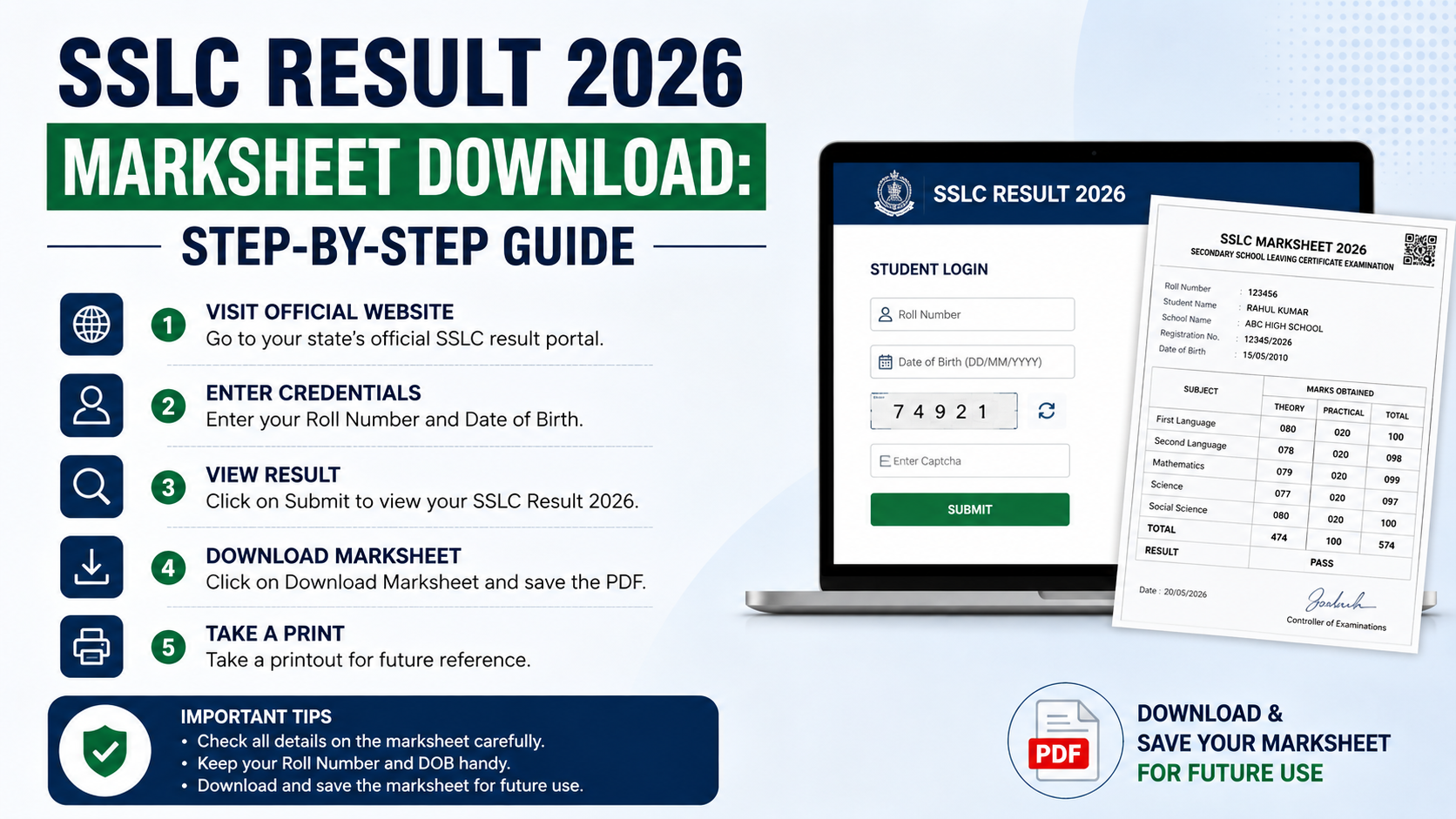
1. Keep your hall ticket and details ready
Before opening the result portal, keep your examination hall ticket nearby. Depending on the board, you may need:
- Registration number, roll number or register number
- Date of birth in the format shown on the hall ticket
- Examination session or year
- School code, in limited school-wise result services
Use the details exactly as printed. A wrong date format, an extra space or an incorrect digit can cause an error message.
2. Open the official board result page
Type the official domain directly in your browser or reach it through the board’s official homepage. Confirm that the web address belongs to the board, a state government department, NIC, or an official government education service.
Avoid websites that ask for unnecessary payments, app installations, Aadhaar details, bank details or passwords to show a basic result. A legitimate result lookup normally asks only for examination-related identification details.
3. Select the right examination and session
Choose the exact result notification for your attempt, such as:
- SSLC 2026 Exam-1
- SSLC 2026 Exam-2
- Consolidated or best-marks result, where the board has issued one
- Supplementary or re-examination result
This matters particularly in Karnataka, where KSEAB has separately published 2026 Exam-1 and consolidated Exam-1/Exam-2 best-marks results. KSEAB’s official result portal lists the relevant announcement dates and result categories.
4. Enter your credentials and submit
Enter the requested registration or roll number and date of birth. For example, Kerala’s official SSLC 2026 result service asks candidates to use their register number and date of birth from the hall ticket. Kerala’s SSLC result page provides the required fields.
If the portal displays a captcha, type it carefully. Refresh the page only if the captcha is unreadable; repeated refreshes during peak traffic can slow down access.
5. Check the result before saving it
Once your result appears, review it carefully. Check:
- Candidate name and registration number
- School name, where shown
- Subject-wise marks or grades
- Total marks or aggregate, where applicable
- Result or pass status
- Examination session and year
Take a screenshot for quick reference if needed, but also save a clearer copy. Use the site’s download or print button if one is provided. If the page only displays the result, use your browser’s Print option and select Save as PDF. Name the file clearly, for example: SSLC-2026-Result-RegistrationNumber.pdf.
6. Print and store the copy securely
Keep one digital copy in a secure folder and one printed copy for short-term use. Do not share your full marksheet image publicly on social media, as it may contain your date of birth, registration number, QR code or other personal information.
A downloaded web result should not be altered. Cropping, editing marks or changing personal details can create problems during admissions or verification.
How to Get an SSLC Marksheet Through DigiLocker
DigiLocker can provide an issuer-backed digital academic document only when the relevant education board has published that document on the platform. If your board or your particular result is not listed, DigiLocker cannot create a marksheet independently.
The National Academic Depository (NAD) explains that students can search for their board or institution in DigiLocker, enter the required details and retrieve published academic awards in the Issued Documents section. NAD’s student guidance and official FAQ describe this process.
Steps to retrieve an available document
- Visit DigiLocker and sign in or create an account.
- Open Browse Documents and select the Education category.
- Search for your state board or issuing institution.
- Select the relevant document type, such as marksheet or passing certificate.
- Enter the requested details, which may include your roll number, registration number and year of passing.
- Give consent and select Get Document.
- Open Issued Documents to view, download or share the retrieved record.
An Issued Document is different from a file that you upload yourself. NAD states that academic documents issued through the system are sourced from the concerned institution and can be accessed in the Issued Documents area. It also states that such documents are recognised as equivalent to physical documents under the applicable DigiLocker rules. About DigiLocker NAD
What to Do If the Result Website Is Slow or Not Opening
Result portals often receive heavy traffic immediately after a declaration. A slow page does not mean your result is unavailable or that there is a problem with your record.
Try these practical steps:
- Wait a few minutes and try again rather than submitting repeatedly.
- Use a current browser such as Chrome, Firefox, Edge or Safari.
- Clear the browser cache or use a private/incognito window if the board recommends it.
- Switch between mobile data and Wi-Fi if your connection is unstable.
- Use the official board homepage to locate a result link again.
- Ask your school for assistance if the official portal continues to reject correct details.
Kerala’s official 2026 result service specifically advises candidates experiencing difficulty viewing the latest results to clear browser cache or use an incognito/private window. KITE Kerala SSLC results provides this instruction.
Never submit your credentials to an unofficial “fast result” page merely because the official site is busy.
Verify Details and Handle Errors Correctly
Your online result may be needed quickly for Class 11 admission, scholarships or document submission. Check the details while the result is open, then preserve your hall ticket and downloaded copy.
If your marks or personal details appear incorrect
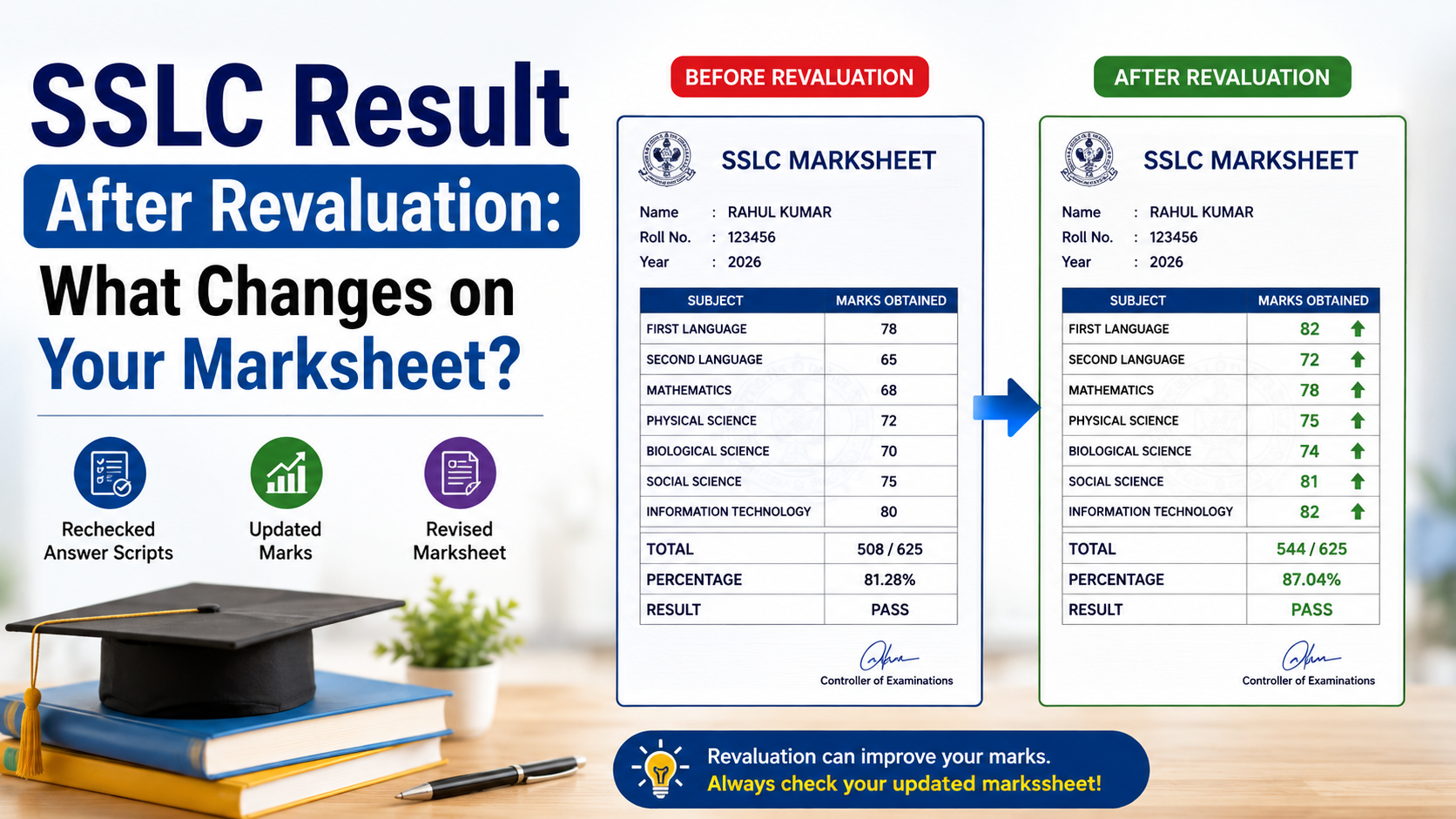
Do not try to correct the document yourself. Contact your school first and ask for the board-prescribed correction, recounting, retotalling, answer-script copy or revaluation process, if available.
Deadlines and procedures vary by board and examination session. Tamil Nadu DGE, for example, publishes official SSLC procedures for results, provisional mark certificates and retotalling through its website. DGE SSLC examination information is the appropriate place to check current rules instead of trusting third-party claims.
If you have lost an older original certificate
A result page is not a substitute for a lost original certificate. Follow the issuing board’s official duplicate-certificate process. Tamil Nadu DGE offers specific services and application information for SSLC duplicate certificates and certified copies of marksheets. Tamil Nadu DGE certificate services lists these options.
For other boards, use their official certificate or student-services page, or contact your school administration.
Frequently Asked Questions
Is an online SSLC result the same as the original marksheet?
Usually, no. Official Kerala and Karnataka result portals state that their online results are for immediate information and cannot be treated as original marksheets. The original document is issued separately by the board. A DigiLocker document in the Issued Documents section is different because it is an issuer-backed digital record.
Can I download my SSLC marksheet without a roll number or registration number?
Most official portals require a registration number, roll number or register number, often with date of birth. If you do not have these details, check your hall ticket or contact your school. Do not use unverified websites that claim to retrieve results solely by name.
Why is my SSLC marksheet not visible in DigiLocker?
The board may not have published the document to DigiLocker yet, the board may not participate for that document type, or the details entered may not match the board’s records. Confirm your year, roll number and spelling, then check with the board or DigiLocker support if necessary.
Which Karnataka SSLC result should I download in 2026?
Download the result matching the examination you took. KSEAB’s 2026 portal separately lists Exam-1 and the consolidated Exam-1/Exam-2 best-marks result. If you appeared in more than one session, confirm with your school which record is needed for your admission or application.
Can I use a screenshot of my result for admission?
A screenshot may be useful as a temporary reference, but an institution may require a printed official result, DigiLocker-issued document, original marksheet or a school-attested record. Read the admission notice and submit the precise document requested.
Conclusion
For a safe sslc result marksheet download, begin with your state board’s official website, choose the correct 2026 examination session and enter the details exactly as shown on your hall ticket. Save a clear copy of the result, but remember that an online result page may not be the original marksheet.
Where your board has issued an academic record through DigiLocker, retrieve it from Issued Documents rather than uploading an unverified file. Finally, compare every detail with your hall ticket and contact your school or board immediately if anything is incorrect.